
How Our Designer Built a Production-Grade Product
When Figma breaks: a senior designer's workflow for building production-grade AI prototypes in hours, not weeks. Static prototypes can't capture how AI products actually behave. This is the layered process, and the exact toolchain, one of our designers used to go from wireframes to a fully working product in an afternoon.
I watched one of our senior product designers, Pedro (he's the man), build a product from scratch earlier this week. Designed and coded. Working hover states, animations, real logic, interactive flows. It took him about two hours.
What I watched wasn't vibe coding, it wasn't "prompt and pray", it was a deliberate, layered, repeatable process that mirrors how great designers already think in Figma and how real engineers already build software (collapsed into one person in record time).
I asked him to walk me through it on camera so I could share it with our team. But as we got deeper, I realized every product and design leader should be paying attention to this right now. So let me break down what I saw.
Why Figma Prototypes Break for AI Products (and won't cut it at work anymore)
Figma prototypes were awesome (mostly) in 2023, but aren't going to cut it in 2026.
They're pictures of software, not software itself. And for a long time that was fine, products were deterministic. Click a button, get a predictable outcome. One path.
With intelligent, relationship-based AI products, that falls apart. Any input can generate a different output shaped by context, tone, user history, and model behavior. You can't storyboard your way through that. You'd need 100 variants to even approximate reality.
Three specific failure modes:
- They're static - you can't type into them or get a response back
- Non-integrated - you can't plug in an LLM, a database, or any real intelligence
- Limited in interaction - you can represent one path, maybe two... AI products don't have paths, they have possibilities
Before, a product was its screens. Now the product is the intelligence underneath. Figma prototypes the surface, but can't touch the substance.
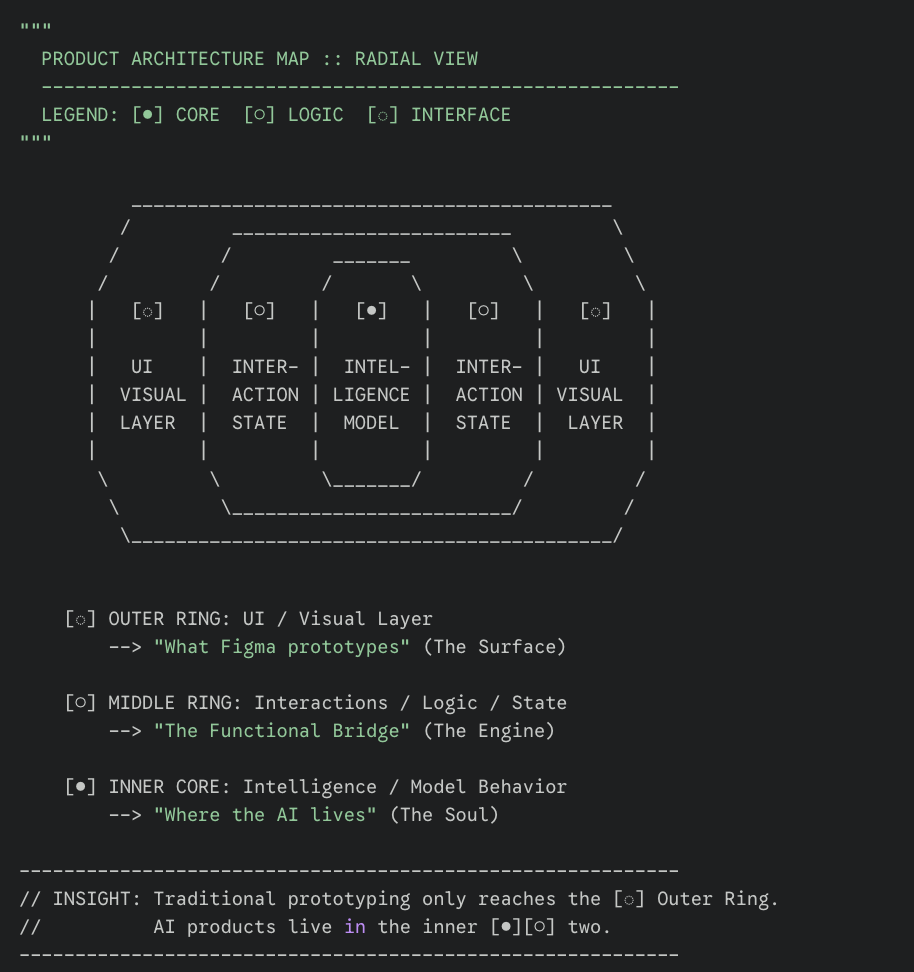
The Prototype Becomes a Shared Design Surface
Here's where it gets interesting for product and engineering leaders, not just design.
At a certain level of fidelity, the prototype stops being a designer's artifact and becomes a shared design surface for the whole team. Researchers run experiments on it. Data scientists connect real data. PMs test business hypotheses directly. Engineers tweak model parameters. When the prototype is functional, everyone is designing, just different dimensions of the same product.
The prototype becomes the meeting room. Instead of debating in Figma comments or Slack threads, teams point at a living thing and say "try this." Alignment cycles collapse.
For engineering specifically: a designer following this process produces code that's already componentized, well-named, and built on real libraries. It's not throwaway prototype code, it's the best spec doc possible, because it's the actual thing.
The Toolchain
Here's the full stack that made this work:
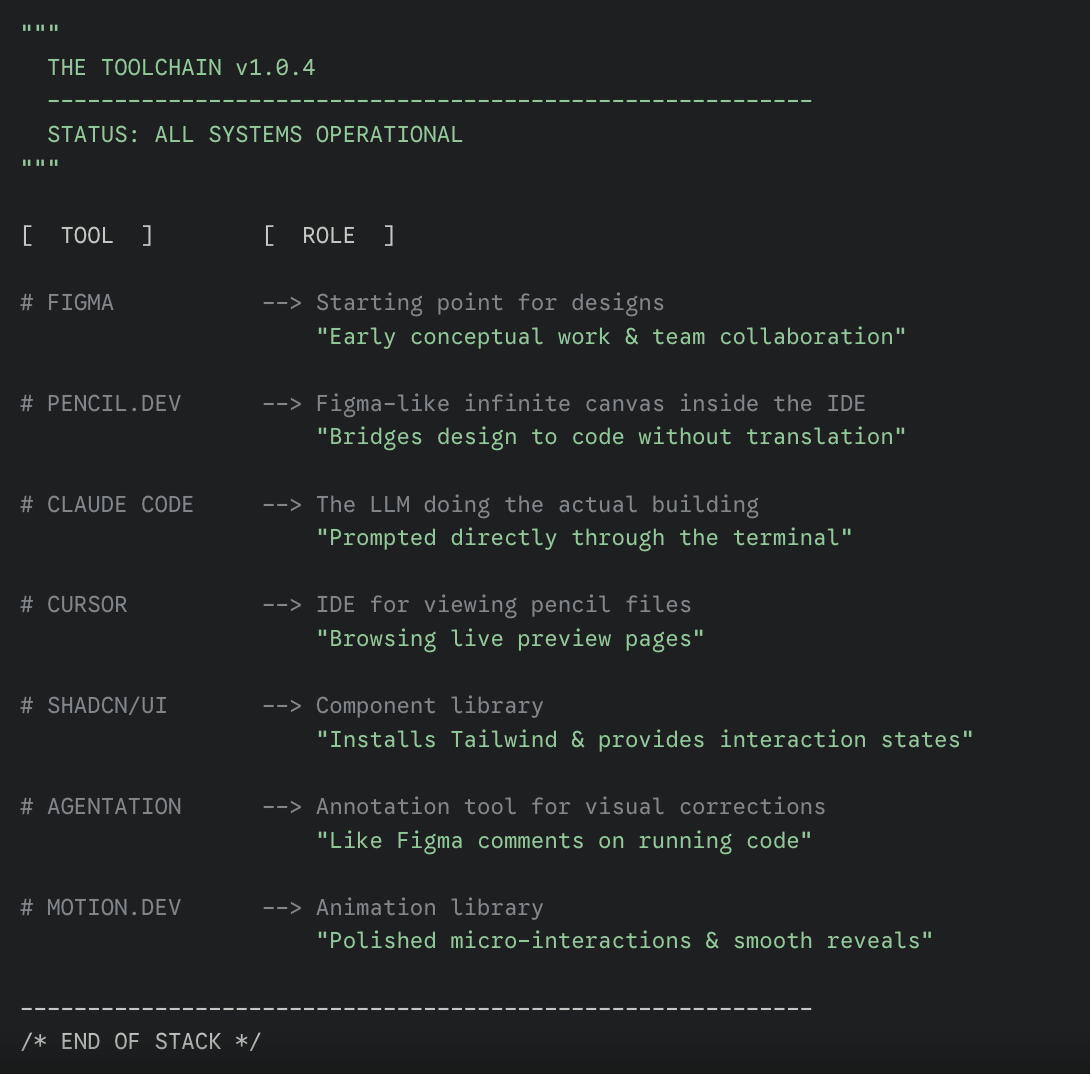
The centerpiece is pencil.dev, a company out of a16z Speedrun, founded in 2025, under 10 employees.
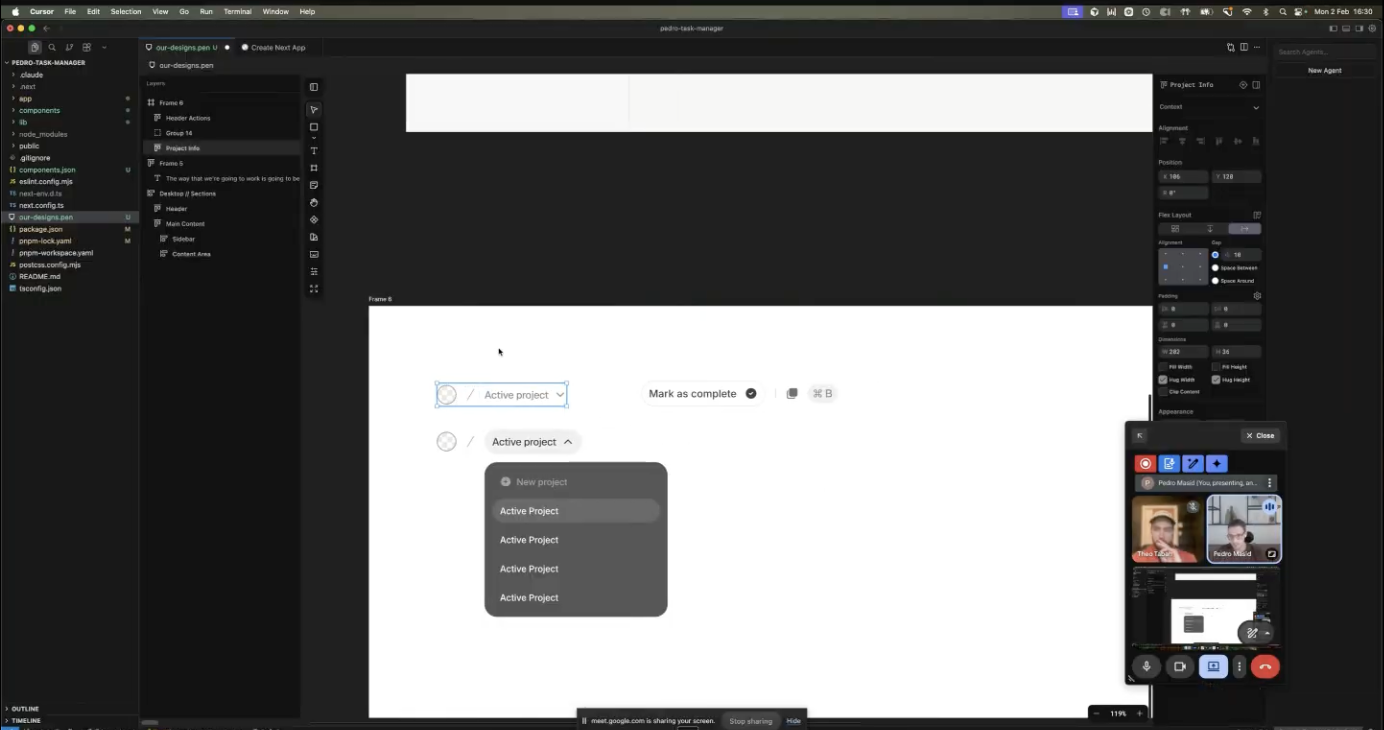
They rebuilt Figma's core canvas experience inside code editors in under a year. The key difference from Figma's MCP: pencil speaks a cleaner language to LLMs. No proprietary translation layer. It just tells the model "here are four layers, here are the paddings, here are the margins." Higher fidelity output on the first pass, fewer correction cycles.
It also bridges the gap between the way designers think, and how they need to build. Many designers think visually, so having the canvas directly where the code gets build is a huge unlock for those visual thinkers.
Agentation (built by Benji Taylor and team) is the other standout. Think Figma comments on live code - you click an element in your running prototype, annotate what's wrong, and the model gets exact coordinates. Multiple annotations at once, all resolved in a single pass.
The Real Sophistication: How You Build, Not What You Build
This is the part that separates what I watched from vibe coding, and it's the part I think matters most for anyone managing a design or product team.
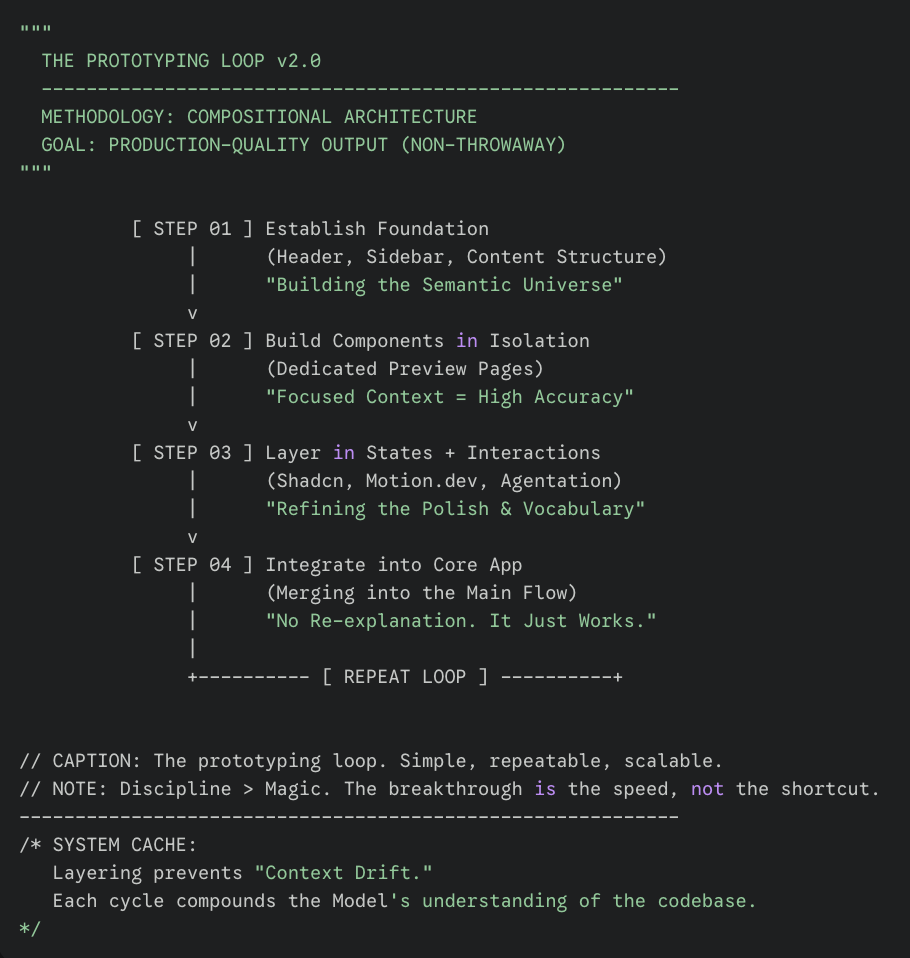
The workflow mirrors how the best designers already work in Figma and how the best engineers already build software: foundation first, then components, then polish. The difference is it all happens in code now, and the layering is what makes the output production-quality instead of throwaway.
- Layer 1: Establish the foundation. Don't hand the LLM a full screen and say "build this." Start with page structure only - header, sidebar, content area. This builds the "semantic universe" - a shared vocabulary between you and the model that compounds with each layer.
- Layer 2: Build components in isolation. Each component gets built and refined on a dedicated preview page, totally separate from the main app. The LLM isn't thinking about the whole system when you're dialing in a card or a dropdown. Context stays focused, accuracy goes up.
- Layer 3: Layer in states, interactions, and micro-animations. Once the component renders correctly, you layer in hover states, transitions, animation behavior. This is where libraries like Shadcn and motion.dev earn their keep - the model already has a vocabulary of polished interaction patterns to draw from. You refine with visual annotations (agentation), not long-winded prompts.
- Layer 4: Integrate into the core app. When the component is perfected, you integrate it into the main flow. Because the semantic universe is established, the model knows where it goes and how it behaves. No re-explanation. It just works.
Then repeat. Foundation, components, polish, integrate. Every section, same loop.
So What Now?
The threshold for "should we build a functional prototype?" has collapsed, but it doesn't mean only build what you design.
Early ideation and jamming? Figma is still the fastest way to get shapes on a canvas. But the moment you need to test how something feels, how an interaction flows, how an AI response lands, how a workflow holds up across states... build the functional prototype.
We're continuing to integrate this workflow into our projects.
The early results are compelling - faster alignment, higher fidelity testing, and design artifacts that flow directly into engineering instead of being translated from scratch.
If your team is building AI products and still prototyping exclusively in static tools, you're leaving signal on the table